Why Your Business Profile Disappears When Customers Zoom in on Maps
Section 1: The “Ghost Listing” Phenomenon
As a Local SEO Consultant and Google Business Profile Product Expert, I hear the same frantic question at least once a week: “Kevin, I can see my business pin when I’m looking at the whole city, but as soon as I zoom in to my street, my business disappears! Where did it go?”
This isn’t a glitch in your phone, and it’s not a random bug in the Google Maps app. You are experiencing the “Ghost Listing” phenomenon, technically known as the Proximity Filter or the Proximity Shadow. It is one of the most frustrating aspects of google business profile seo because it feels like you are being penalized for being close to your customers.
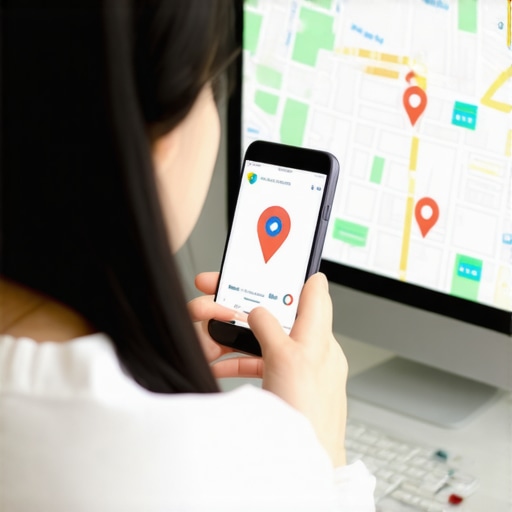
Imagine a user searching for “lawyers near me.” At a high zoom level (looking at a 10-mile radius), Google shows a handful of top-rated pins to give a general overview. But as the user zooms in to a specific block to find parking or the exact entrance, your pin – which was just there – vanishes. In its place, a competitor’s pin remains visible. This is a common complaint documented extensively on Google Support forums, most notably in Thread #133331535, where hundreds of business owners have reported their listings “filtering out” at high magnification levels.
This happens because Google’s primary goal is to provide a clean, non-cluttered user interface. To achieve this, they use a deduplication algorithm that decides which business is the most “representative” of a specific location or category. If you haven’t optimized your profile to stand out, you might find yourself in the Local SEO Fix: Speed Up Your Map Rankings in 2025 fast lane to invisibility.
Section 2: The Three Pillars of Local Ranking
To understand why your pin disappears, we have to look under the hood of the Google Maps algorithm. Google relies on three core pillars to determine which businesses deserve a spot on the map at any given zoom level: Proximity, Relevance, and Prominence.
- Proximity: How close is the business to the searcher? This used to be the king of factors, but it now works against you if you are in a “dense” area.
- Relevance: How well does your business category and content match the searcher’s specific intent?
- Prominence: How well-known is your business? This is calculated via your review count, backlink profile, and overall digital footprint.
When multiple businesses in the same category are clustered in the same building or on the same block, Google applies a “deduplication” filter. If three pizza shops are within 500 feet of each other, Google won’t show three pins overlapping and creating a mess on the screen. It chooses the “best” one to show by default. This is why google business profile optimization is no longer optional – it is the only way to ensure your pin is the one that stays visible while others are filtered into the background.
If your prominence score is lower than the business next door, Google’s algorithm assumes the neighbor is the more relevant result for the user. Consequently, as the map density increases during a zoom-in, your listing is tucked away into the “hidden” layer of the map, only visible if the user specifically searches for your name.
Section 3: Why Zoom Levels Trigger the Filter
Google Maps operates on a “Map Tile” logic. Each zoom level represents a different set of data requirements. At a low zoom level (zoomed out), Google has more “real estate” to show a variety of businesses across a wide area. However, as you zoom in, the density requirements change. The algorithm must decide which pins are essential for that specific square inch of digital map.
This is where many businesses fail. New businesses often lack the relevancy to show at high zoom levels until they build a history of clicks, directions requests, and localized engagement. If your business lacks “Prominence” compared to a neighbor, Google may hide your pin to prevent clutter. It’s an automated editorial choice made by the AI to prioritize the “most likely” destination for the average user.
A July 2024 Reddit discussion in the r/LocalSEO community highlighted a startling discovery: the zoom filter isn’t universal. It varies based on the viewer’s search history and past interactions. If a user has visited your competitor before, your pin is even more likely to disappear when they zoom in on your shared neighborhood. This makes the battle for visibility even more technical. If you find your listing is struggling to stay anchored, you may be dealing with a deeper issue. Check out my guide on Why Your Business Listing Verification is Stuck and How to Push it Through to ensure your foundation is solid.
Section 4: The “Proximity Shadow” and Competitor Overlap
One of the most difficult hurdles for modern businesses is the “Proximity Shadow.” This occurs most frequently in two scenarios: being located in a “dense” office building (like a Regus or WeWork) or being on a “Service Row” where five other plumbers, lawyers, or dentists share the same street.
When you are in a Proximity Shadow, Google’s algorithm sees multiple businesses with the same Primary Category at the same Physical Address (or very close coordinates). To provide a better user experience, it filters out the “weaker” profiles. If you are a new law firm in a building with a firm that has been there for 20 years and has 500 reviews, you are likely being filtered out at high zoom levels because you are in their shadow.
To escape this, you must differentiate. You cannot just rely on basic local seo tools; you need a strategic approach to your attributes and secondary categories. If every competitor is using “Personal Injury Lawyer,” perhaps your primary should be “Trial Attorney” or “Legal Services” to avoid the direct deduplication filter. You also need to ensure your “Service Area” settings aren’t conflicting with your physical location. If you are a service-area business (SAB) but have a physical office, Google might get confused about where your “pin” truly belongs, leading to it disappearing at the very moment a customer is looking for your front door.
If you’re feeling stuck, read my deep dive on how to Fix the Proximity Trap That Keeps Your Business Off the Map.
Section 5: Technical Red Flags: Why You’re Actually Invisible
Sometimes, the reason you disappear when zooming in isn’t just about the filter – it’s about technical health. If Google has any doubt about the accuracy of your location, it will deprioritize your pin. This is often caused by “soft” suspensions or verification discrepancies that don’t necessarily take your profile offline but severely limit its “reach.”
Check these red flags immediately:
- NAP Inconsistency: If your Name, Address, or Phone number varies even slightly across the web (e.g., “Suite 500” vs “#500”), Google loses confidence in your pin’s exact coordinates.
- Duplicate Listings: If an old listing for a previous tenant exists at your address, Google may be merging the data and hiding yours.
- Incorrect Pin Placement: Manually dragging your pin to the street to “be closer to traffic” can actually trigger a filter if it doesn’t match the rooftop data Google has for that address.
I’ve seen cases where a single digit error in a zip code caused a business to only appear at a 10-mile zoom but vanish at 1 mile. It’s a silent killer. You can use a google maps rank tracker to see if your visibility is dropping off at specific geographical boundaries. For more on this, see Why One Wrong Digit in Your Address Is Quietly Killing Your Map Ranking.
Section 6: 2026 Local SEO Trends: The Rise of AI Filters
As we look toward 2026, the “zoom filter” is becoming even more sophisticated. Google is moving away from simple distance-based logic and toward AI-driven intent analysis. We are already seeing the rise of “Open Now” logic, where businesses that are currently closed are filtered out more aggressively during zoom-ins to favor businesses the user can actually visit right now.
Furthermore, Google’s Gemini AI is now performing real-time sentiment analysis on your reviews. If your recent reviews mention “long wait times” or “poor parking,” and a competitor’s reviews mention “quick service” and “easy access,” the AI may choose to show the competitor’s pin at high zoom levels because it predicts a better user experience for someone currently navigating the area. This means rank higher on google maps strategies must now include “Review Sentiment Optimization.”
The future of local search is about being the “most helpful” result, not just the closest one. Stay ahead by reading The Critical Local SEO Trends That Will Actually Matter in 2026 and How to Handle the 2026 Local SEO Trends Without Losing Your Map Rank.
Section 7: The Recovery Roadmap: 5 Steps to Stay Visible
If your business is currently playing hide-and-seek on the map, follow this roadmap to reclaim your visibility and break through the proximity filter.
- Audit Your Categories: Use a tool to see what your top 3 competitors are using for their primary and secondary categories. If you are all identical, change your secondary categories to capture “niche” relevance that the filter might ignore.
- Build “Hyperlocal” Backlinks: Google uses off-site signals to determine prominence. Links from local news sites, neighborhood blogs, and local chambers of commerce tell Google you are a pillar of that specific coordinate.
- Implement Local Business Schema: Don’t leave your location up to Google’s best guess. Use advanced Schema markup to define your exact latitude and longitude. See The Missing Schema Markup That Keeps Your Business Off the Map for the exact code snippets you need.
- Increase Engagement Signals: Upload high-resolution photos and answer your own Q&A section. The more users interact with your profile (clicking photos, requesting directions), the more “Prominence” you gain in Google’s eyes, making you less likely to be filtered.
- Monitor with Professional Tools: Stop checking your rank manually on your phone. Use google maps seo tools to get an objective view of your “visibility wall.”
Many owners wonder Why Your Profile Only Shows Up to People in Your Own Parking Lot. The answer is almost always a lack of prominence. By increasing your local authority, you push the boundaries of your visibility further out and ensure your pin stays “stuck” to the map no matter how much a user zooms in.
Conclusion: Stop Being a Ghost
Visibility on Google Maps isn’t a “set it and forget it” task. It is a constant competition for digital real estate. If your pin is disappearing when customers zoom in, the algorithm is telling you that you haven’t earned enough “Prominence” to beat the deduplication filter in your neighborhood.
Don’t let your competitors own the street level. Perform a “Proximity Audit” today. If your pin is still playing hide-and-seek, it’s time to look at your prominence signals. Use a google maps ranking service to see exactly where your ‘visibility wall’ is located and start breaking through it.