Why One Wrong Digit in Your Address Is Quietly Killing Your Map Ranking
You’ve done everything “by the book.” You have dozens of five-star reviews, high-quality photos of your team, and you’re posting updates to your profile three times a week. Yet, when you check your local rankings, you’re nowhere to be found. Even worse, your competitor – who hasn’t updated their profile since 2021 – is sitting comfortably in the top spot of the Map Pack. You feel invisible. You feel “ghosted” by Google.
As a Local SEO Consultant and Google Business Profile (GBP) Product Expert, I see this scenario daily. Business owners assume that local SEO is purely about keyword density or review volume. The reality is far more technical. Local search isn’t just about marketing; it’s about data integrity. If there is a single discrepancy in your business data – specifically, one wrong digit in your address – you are likely trapped in what I call the “Proximity Shadow.”
The Proximity Shadow is a state where your business technically exists in Google’s database, but the algorithm refuses to display it to users because of a trust gap. Google’s primary goal is to provide accurate, real-world information. If its systems detect a conflict in your location data, it defaults to safety by filtering you out. This is a massive issue: currently, over 1 million businesses are suspended or filtered out of search results annually due to risk factors like incorrect data. If you want to fix this, you need to look at Local SEO Fix: Speed Up Your Map Rankings in 2025 to understand the pace of the modern algorithm.
The Anatomy of a Wrong Digit: Why Google Cares
To understand why a typo is a ranking killer, you have to understand how Google’s algorithm verifies a business’s existence. Google doesn’t just take your word for it when you type an address into the GBP dashboard. It uses a process called “triangulation.” It compares your input against the USPS database, local tax records, utility bills, and thousands of third-party directories. When you are looking for a google business profile seo strategy that actually moves the needle, you have to start with the foundational data.
Consider the difference between “123 Main St” and “123 Main St. Suite #4.” To a human, these are obviously the same place. To a relational database designed to prevent “ghost” listings and spam, these are two different entities. If your Google Business Profile says “Suite 4” but your Secretary of State filing or your Yelp page says “Unit 4” or omits it entirely, Google’s trust score for your location drops.
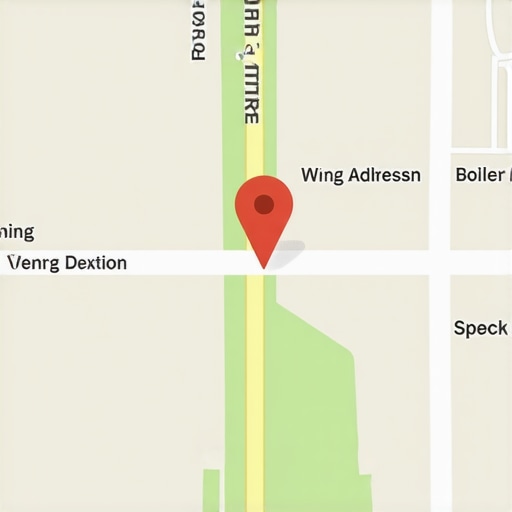
A single wrong digit in a zip code is even more catastrophic. Google uses the zip code to assign your “Map Pin” coordinates (Latitude and Longitude). If your zip code is off by one digit, your pin might be placed three blocks away in the middle of a residential neighborhood or a park. This creates a Why Your Map Pin Won’t Move and the Fast Fix to Force the Update crisis. If Google thinks your business is located where a park is, it will immediately flag your profile for a manual review or simply stop showing you in the Map Pack for relevant local queries.
Furthermore, if you are utilizing a gmb ranking service, the first thing they should do is a “NAP” (Name, Address, Phone) audit. Without NAP consistency, every other SEO effort is built on sand. Google’s algorithm is essentially a giant “Trust Engine.” Every consistent mention of your address across the web acts as a vote of confidence. Every inconsistency acts as a red flag.
The 2024-2026 Algorithm Shift: Proximity vs. Trust
The landscape of local search has shifted dramatically over the last 24 months. We saw the September 2024 Category Relevance Update, which tightened the requirements for how businesses categorize themselves. This was followed by significant ranking volatility in January 2025. As we move through 2026, the algorithm has become even more aggressive.
Google’s AI filters are now specifically tuned to detect “Proximity Spammers” – shady businesses that use virtual offices or fake addresses to rank in multiple cities. Because these spammers often have slightly messy data, Google has lowered its tolerance for all data errors. If your address has a typo, the AI doesn’t see a “small mistake”; it sees a potential “ghost” or “virtual office” listing. It treats your legitimate storefront with the same suspicion it treats a lead-gen spammer in a different country.
In 2026, proximity is no longer the undisputed king. Trust is the new proximity. I have seen businesses located 5 miles away from a searcher outrank businesses located only 500 feet away, simply because the further business had a 100% clean data profile while the closer business had a suite number discrepancy. To stay ahead, you must implement 4 Maps SEO Techniques to Escape the 2026 Proximity Shadow.
The AI filters are now cross-referencing your GBP data with “Street View” image recognition data. If your address digit doesn’t match the numbers Google’s camera cars saw on the front of your building, you’re going to face a ranking ceiling that no amount of reviews can break through.
The Ripple Effect: How One Error Multiplies
One wrong digit on your Google Business Profile is rarely an isolated incident. It’s usually a symptom of a larger problem: the ripple effect of citation inconsistency. When you create a profile on a site like Yellow Pages or a local chamber of commerce, those sites often “scrape” each other. If you entered your address incorrectly on one platform three years ago, that error has likely been duplicated across dozens of other sites by now.
This creates a massive conflict in Google’s Knowledge Graph. When Google’s bot crawls the web and finds ten versions of your address, it can’t determine which one is the “Source of Truth.” As a result, it loses confidence in your business’s physical location. This is why you need professional local seo software to track these mentions and force updates across the ecosystem.
One of the most common places I see this error is in the website footer. Many business owners use a map embed or a text address in their footer that doesn’t perfectly match their GBP. If your footer says “St.” and your GBP says “Street,” or if your footer is missing the suite number, you are actively hurting your rankings. I’ve detailed this specific phenomenon in my guide on Why Your Footer Map Embed Isn’t Helping Your Local Ranking. Google looks for a 1:1 match between your website and your GBP. Anything less is a signal of unreliability.
NAP consistency builds trust with search engines and prevents customer confusion. Without it, you are essentially telling Google that you aren’t sure where your own business is located. Why would Google recommend you to a user if you can’t even get your address right?
Case Study: The “Suite B” Disaster
Let me give you a real-world example from my consulting practice. I recently worked with a high-end plumbing contractor in Chicago. For years, they dominated the local Map Pack. Suddenly, their rankings plummeted. They went from the #1 spot to not even appearing in the top 20. Their call volume dropped by 40% in a single month.
The owner was frantic. He thought he had been hit by a negative review attack or a new competitor. After auditing his profile, I found the culprit: a “Suite B” disaster. The business had moved into a new building that was split into two units, A and B. On their Google Business Profile, they listed “Suite B.” However, on their website and their Facebook page, they simply listed the street address without the suite. To make matters worse, a local directory had them listed as “Unit 2.”
Google’s algorithm saw three different addresses for the same business name. It couldn’t verify which door the customer should walk through. Consequently, Google “ghosted” the listing. We spent three weeks standardizing every single mention of the business to “Suite B” – matching the USPS official formatting exactly. Within ten days of the data synchronizing, their rankings returned to the #1 spot. You can read more about how to handle these situations in How We Fixed the Ghosted Listing Error That Kills Local Calls.
This case study proves that strong reviews without NAP consistency weaken trust, causing high-rated profiles to be filtered out. You can have 500 reviews, but if Google isn’t sure which suite you’re in, those reviews won’t save your ranking.
Step-by-Step: Auditing and Fixing Your NAP Data
If you suspect your rankings are suffering from a data error, you need to perform a “Search Engine Audit” immediately. Don’t guess; use a data-driven approach to ensure your business entity is clean. You also need to be aware of your business name’s impact – learn How to Stop Your Business Name From Triggering a Shadow Filter on Maps to ensure your name isn’t compounding the problem.
Follow these steps to clean up your data:
- 1. Find the USPS Standard: Go to the USPS Zip Code Lookup tool. Enter your address. See exactly how the post office formats it. If they use “STE” instead of “Suite,” or if they abbreviate “Parkway” to “Pkwy,” that is the format you must use on your Google Business Profile.
- 2. Audit Your Website: Check your Contact page, your Footer, and your Header. Ensure the address is identical to the USPS standard. Do not use an image of your address; use crawlable text.
- 3. Use Professional Tools: Manual searching is impossible. Use a google maps rank tracker and other local seo tools to scan the web for every mention of your business. These tools will highlight “NAP Mismatches” that you would never find on your own.
- 4. Check for Duplicate Profiles: Often, a wrong digit in an address leads Google to create a second, “unclaimed” profile for your business. These duplicates are ranking poison. Find them, claim them, and merge them with your primary profile.
- 5. Verify Your Service Area: If you are a service-area business (SAB) without a physical storefront, ensure your “hidden” address in the backend of GBP matches your legal business registration exactly. Using virtual offices or incorrect service-area setups are leading causes of GBP suspensions in 2025-2026.
Data auditing is not a “one and done” task. It requires constant monitoring. Large aggregators like Data Axle or Neustar Localeze are constantly updating their databases, and they can easily overwrite your correct data with old, incorrect information from an outdated source.
Conclusion: The Difference Between the Map Pack and Page Four
Local SEO is a game of inches. In a hyper-competitive market, Google is looking for any reason to disqualify a business from the Map Pack to ensure the best user experience. One wrong digit in your address, a missing suite number, or an incorrect zip code is all the reason Google needs to hide your business from potential customers.
Your address isn’t just a place where you do business; it is the “Primary Key” of your digital identity. If that key is broken, nothing else works. You can spend thousands on content and backlinks, but if your NAP data is inconsistent, you are throwing that money away.
Stop letting a simple typo kill your lead flow. Audit your profile today, standardize your citations, and ensure your digital footprint is as professional as your actual business. If you’ve been struggling to see results, it’s time to Recover Your 2026 Map Pack Spot with These 5 Fast Fixes. Don’t let a single digit stand between you and the customers searching for your services right now.